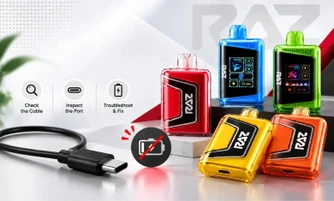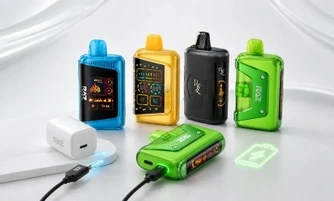
A RAZ vape blinks when the device detects a condition and pauses itself. In most cases, it means the battery needs charging, you held your puff past the built-in ten-second cutoff, the e-liquid has run low, an airflow slider or mode switch is misaligned, or a contact point needs a dry wipe. Four of those five take under a minute to fix yourself.
Explore Our Collections

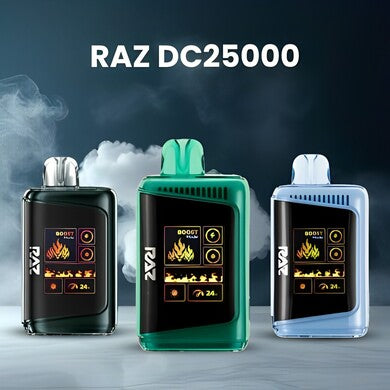
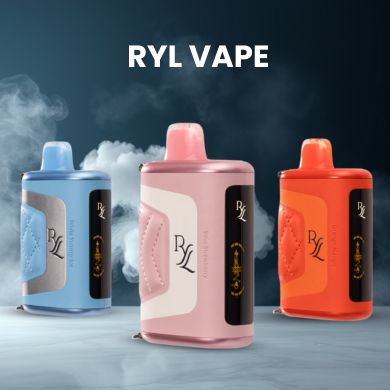
Table of contents
Key Takeaways
- 3 Blinks: charge it. This is the most common pattern by a wide margin.
- 10 Blinks: you passed the puff cutoff. Wait 30 seconds, take a shorter draw.
- 4 or 5 Rapid Blinks: wipe the contacts, and reseat the pod on pod models.
- Slow Pulse While Plugged In: normal charging. Nothing is wrong.
- Blinking is Communication, Not Failure: Count the flashes and note the color, and you can diagnose it in seconds.
Your device lights up, flashes a few times, and gives you nothing. It is one of the most frustrating things that can happen mid-day, and it almost never means what people assume it means.
The tricky part is that a RAZ device has one small light and a lot of information to communicate through it. That single LED has to tell you about battery, e-liquid, puff timing, and connection status. So if you have ever asked, "Why is my RAZ vape blinking?", counting the flashes and noticing the color is how you get a real answer instead of a guess.
Below, we walk you through what each blink pattern means, what each color is telling you, how to fix every scenario, and what changes from one RAZ model to the next.
What Does a Blinking Light Mean on a RAZ Vape?
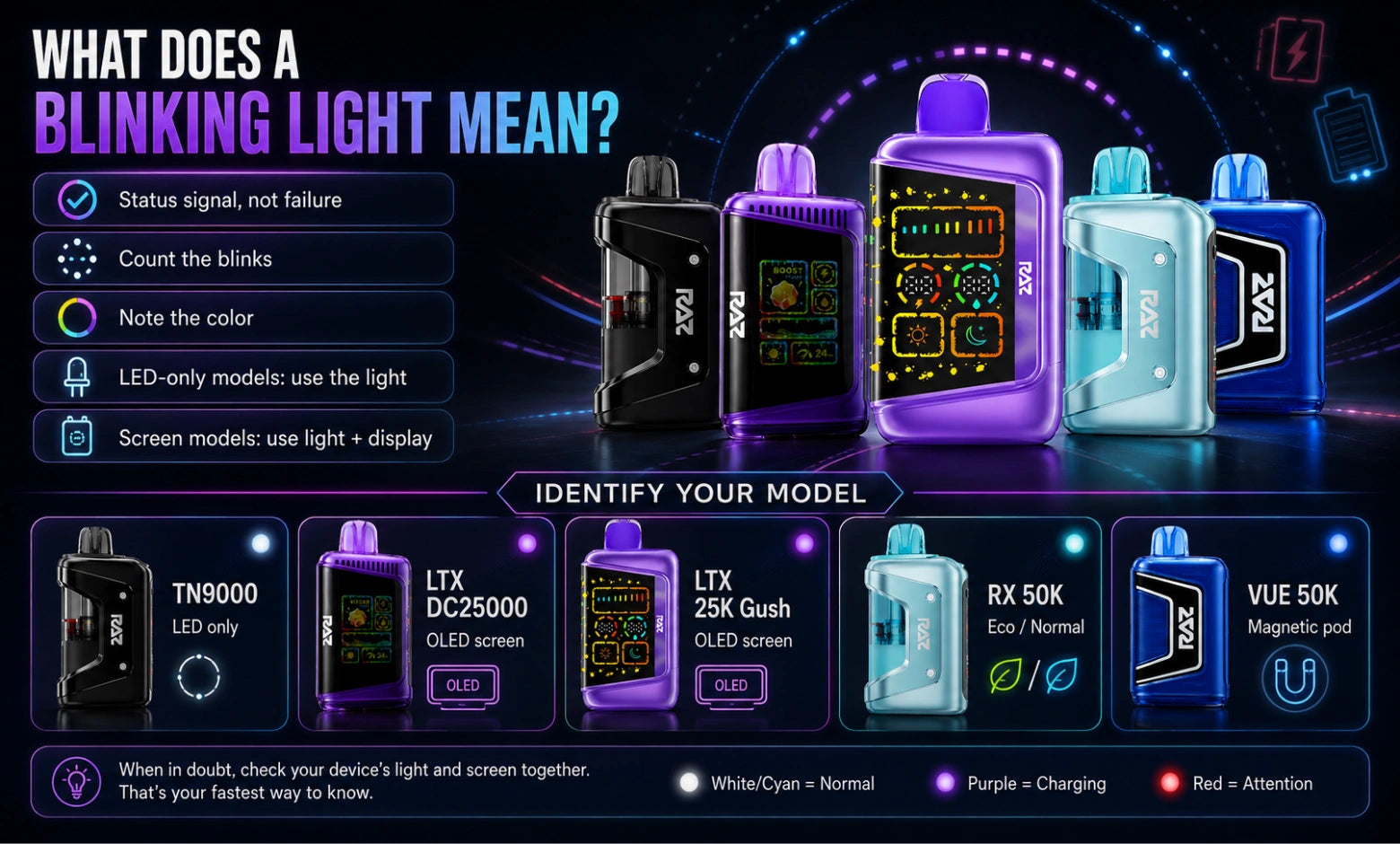
A blinking light on a RAZ vape is a status signal, not an error message. The device has detected a specific condition, paused firing, and is using the LED to report it back to you.
Your RAZ device has no error text. On the LED-only models, that one light is the entire communication system. On the screen models, the display carries part of the load, but the light still sends its own signals. So when your device blinks, it is not malfunctioning. It is talking to you.
There are only two things you need to observe, and both take about five seconds:
- How many times does it blink? Count them. Does it flash three times and stop, or does it keep going? Does the pattern repeat when you try again?
- What color is it? Red, blue, white, or green. Note whether the color holds steady or pulses, and whether the device is plugged in at the time.
Once you have those two data points, you can look up exactly what your device is reporting.
One thing worth clearing up early, because a lot of people ask about it. If you are trying to work out "why is my RAZ vape pen blinking?" instead of firing normally, blinking on its own does not mean the device is broken. In most cases, it means a condition was detected, and the device paused until that condition changes.
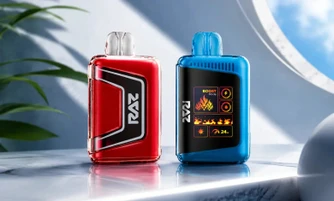
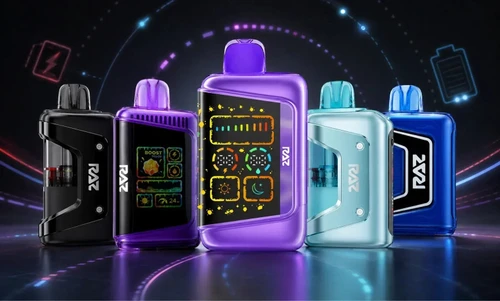
First, Identify Which RAZ Model You Have
Blink behavior is not identical across the lineup, so start here. It takes ten seconds and saves you from applying the wrong fix.
|
Model |
Display |
How to spot it |
Main control |
|
LED only |
Slim body, no screen |
Airflow slider on the bottom |
|
|
OLED screen |
Screen shows puff count and battery |
Mode button |
|
|
OLED screen |
Gush-branded shell |
Mode button |
|
|
OLED screen |
Chamber switch on the body |
Mode button |
|
|
OLED screen |
Eco and Normal mode toggle |
Mode button |
|
|
OLED screen |
Detachable magnetic pod |
Base mode button |
If you are holding a RAZ TN9000, you are working with light signals only. If you have anything in the 25K range or above, your screen gives you a second layer of information that we cover further down. Not sure which one suits you? Our RAZ LTX 25000 vs RYL Classic 35000 comparison breaks down the differences between the two most commonly confused models.
RAZ Blink Codes: What Each Blink Count Means
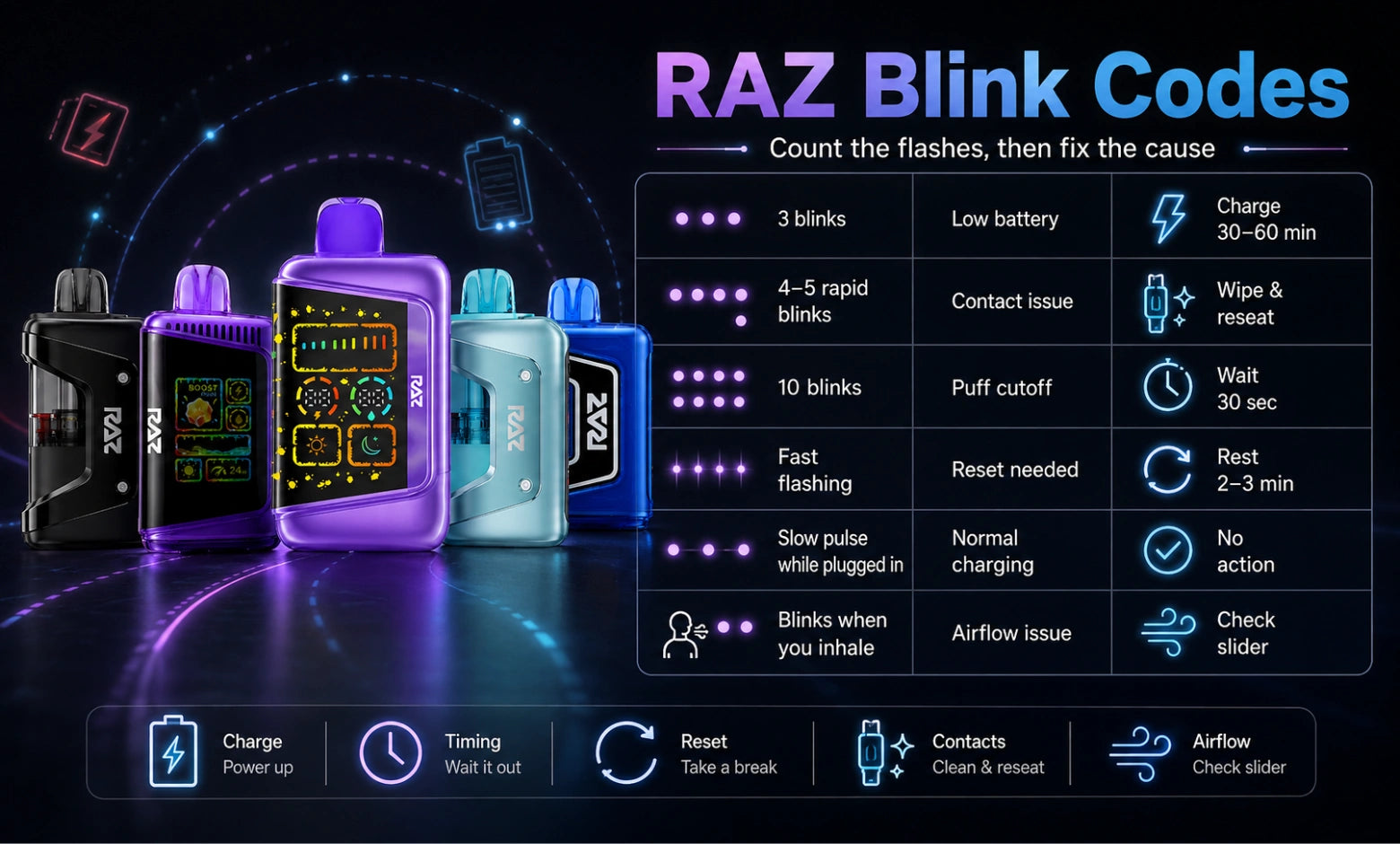
This is the section most guides skip, and it is the one you actually need. Count the flashes, then find your row.
|
Blink pattern |
What it usually means |
What to do |
Time to fix |
|
3 blinks, then stops |
Battery is low |
Charge on USB-C for 30 to 60 minutes |
30 to 60 min |
|
4 to 5 rapid blinks |
Contact or connection issue |
Wipe contacts, reseat the pod on pod models |
Under 2 min |
|
10 blinks |
Puff cutoff triggered |
Set it down for about 30 seconds |
30 sec |
|
Continuous fast flashing |
The device has stopped firing and needs a full reset cycle |
Set it down for 2 to 3 minutes, then run the soft reset for your model |
3 to 5 min |
|
Slow pulse while plugged in |
Normal charging |
Nothing, this is expected |
None |
|
Blinks only when you inhale |
Draw sensor or airflow issue |
Check the airflow slider position |
Under 1 min |
|
Blinks with no input at all |
Auto-fire condition |
Clear the airflow inlet, then soft reset |
2 min |
One note on reading this table: patterns can vary between production runs and models, so treat it as your starting point and confirm against the insert that came in your box.
What Does Blinking 10 Times Mean?
Ten blinks almost always mean you hit the puff cutoff. Every RAZ device has a built-in limit of roughly ten seconds per draw. Cross it, and the device ends the puff on its own and flashes to tell you it did.
This is a designed feature, not a fault. Set the device down for about thirty seconds, then take a normal draw of three to four seconds. It will work normally again.
If you keep hitting ten blinks, the fix is simply shorter puffs. A lot of people draw longer than they realize, especially on the higher-capacity devices where the vapor comes easily.
What Does Blinking 3 Times Mean?
Three blinks means charge it. That is the whole diagnosis, and it is by far the most common blink pattern you will ever see.
Plug into USB-C using a cable you know works. Give it thirty minutes minimum before you judge whether it is recovering. A frequent mistake here is testing after two minutes, deciding the device is dead, and throwing out something that just needed time on the charger.
If you are specifically asking, "Why is my vape pen blinking red?" and counting three flashes, that combination of color and count is the clearest low-battery signal your device can send. Nothing is wrong with it.
What Do 4 or 5 Blinks Mean?
Four or five rapid blinks point to a connection problem rather than a battery or liquid problem.
On the RAZ VUE 50K, this is most often the magnetic pod contact. Pull the pod off, wipe the contact pad with a dry cloth or a dry cotton swab, wipe the matching surface on the base, and press the pod back on firmly until it seats. Pocket lint is the usual culprit, and it takes ten seconds to clear.
On the non-pod models, wipe the mouthpiece area and the airflow inlet with a dry cloth. Do not use water, do not use compressed air, and do not take the device apart. If you are wondering how much moisture a device can tolerate during cleaning, we cover that in detail in our guide on whether RAZ vapes are waterproof.
RAZ Vape Light Colors Explained: Red, Blue, White, and Green
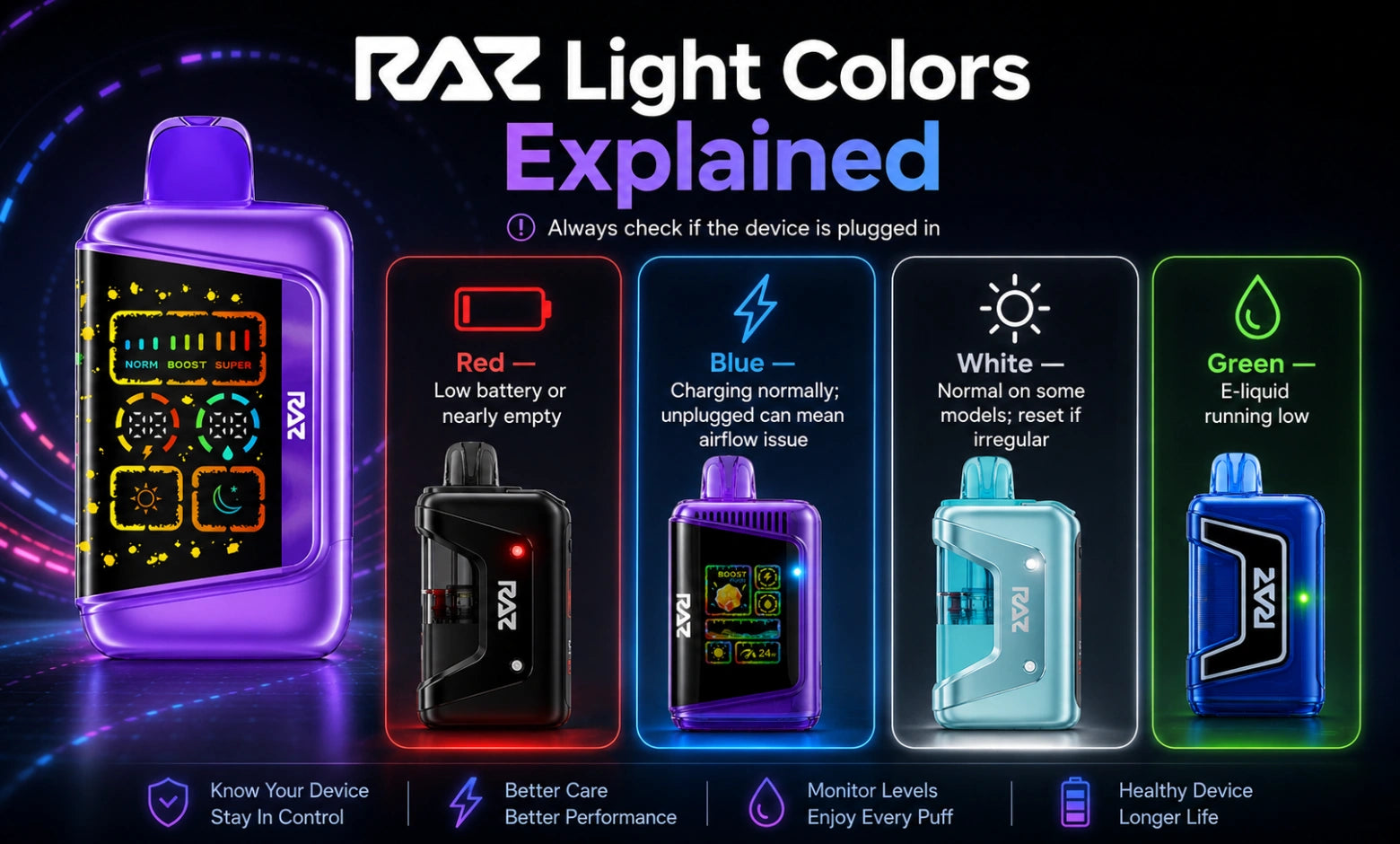
Color is your second data point, and it narrows things down fast. Check whether the device is plugged in before you read this table, because the same color means different things in each state.
|
Color |
Unplugged |
While charging |
What to do |
|
Red |
Battery critically low, or e-liquid nearly out |
Charging fault if flashing rapidly |
Charge first, then check your liquid level |
|
Blue |
Low battery warning, or a stuck activation area |
Normal charging, steady or slow pulse |
Unplugged: clear the inlet. Plugged in: let it finish |
|
White |
Normal operation on some models |
Display or power irregularity |
Charge 5 minutes, then soft reset |
|
Green |
E-liquid running low |
Normal on some models |
Check your on-screen liquid indicator |
Why Is My RAZ Vape Blinking Blue and Not Hitting?
A blue blink with no vapor is usually one of two situations, and they are easy to tell apart.
If it blinks blue while plugged in, that is normal charging behavior. Nothing is wrong. Let it finish.
If it blinks blue while unplugged and you get nothing when you draw, the most likely cause is a blocked airflow inlet or activation area. The device registers a draw attempt but cannot complete it. Wipe the inlet, check that the airflow slider is not fully closed, and try a slower, steadier draw.
The second possibility is a low battery warning that has not yet dropped to red. Put it on the charger for twenty minutes and test again before you assume anything else.
People often ask, "Why is my RAZ vape pen blinking blue?" when the device feels fully charged. In that case, work through the airflow and contact checks first, because a charged device flashing blue is almost never a battery issue.
Why Is My RAZ Vape Blinking Green?
Green blinking points to your e-liquid level rather than your battery. It is the device telling you the reservoir is running low.
On screen-equipped models like the RAZ LTX DC25000 and the RAZ RX 50K, cross-check the on-screen liquid indicator to confirm. If the water-drop icon is flashing or the level bar sits at the bottom, the device is near the end of its run. That is not a fault, and there is no fix beyond replacing it. Our breakdown of how long RAZ vapes last shows the realistic puff range for each model, so you can anticipate this.
On LED-only models, green blinking combined with thinner vapor and a slightly harsher draw usually means the same thing.
How Do You Read the Screen on RAZ Display Models?
If your device has an OLED screen, you have more information than the light alone provides. Here is what you are looking at:
- Water-drop icon: your e-liquid level. When it flashes, you are near empty.
- Battery bar: charge remaining. Charge before it fully depletes.
- Puff counter: total draws taken.
- 12W / 24W display: your power mode. If this flickers, your mode switch may be caught between positions. Slide it firmly all the way to one side.
- White or blank screen: charge for five minutes, then perform a soft reset.
The 7 Most Common Reasons a RAZ Vape Blinks
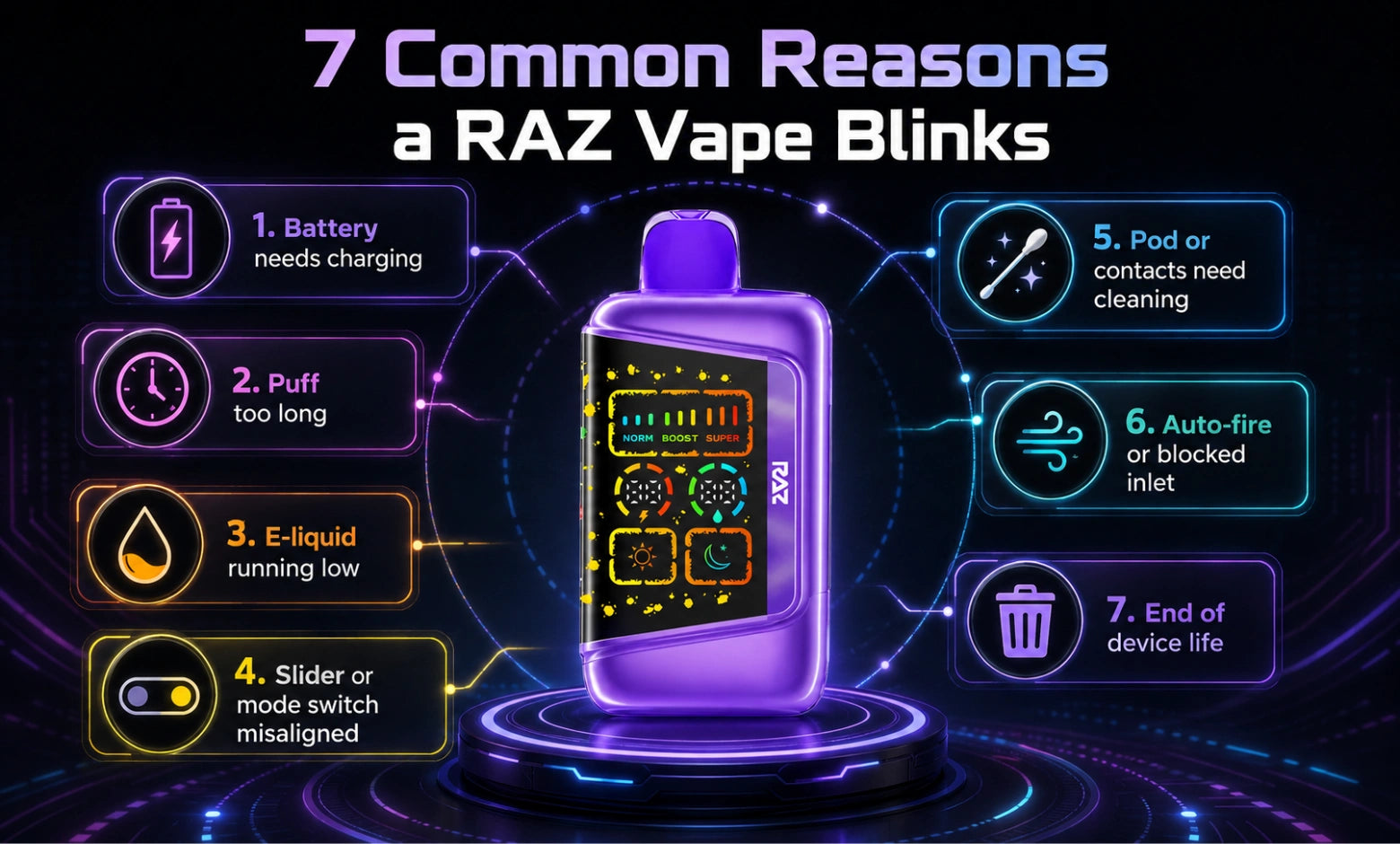
Now that you can read the signals, here is the cause list, ordered from most to least common.
1. The Battery Needs Charging
This accounts for the clear majority of blinking. Plug it in with USB-C and give it thirty to sixty minutes. Use a cable you have confirmed works elsewhere, because a bad cable produces symptoms that look identical to a bad device.
2. You Held the Puff Too Long
The ten-second cutoff exists on every model. Cross it, and the device stops drawing and flashes. Wait thirty seconds, then take a normal three-to-four-second puff.
3. The E-Liquid Has Run Out
Check the water-drop indicator on screen models. On LED models, watch for three signs together: thinner vapor, a change in taste, and blinking. When a disposable reaches this point, it is finished. On refillable models, this is the stage where you would top up instead, and our step-by-step guide to refilling a RAZ vape walks through doing it without leaks.
4. The Airflow Slider or Mode Switch Is Misaligned
This one is specific to RAZ and catches a lot of people. The RAZ TN9000 has a sensitive airflow slider on the bottom, and if it is pushed fully closed, the device cannot register a proper draw. Slide it to the center if you are not sure which position is which. Our guide on how to use the RAZ vape switch on the bottom shows exactly what each setting does. On the RAZ RX 50K, check whether you are in Eco mode, which produces noticeably lighter vapor than Normal.
5. The Pod or Contact Pad Needs Cleaning
Specific to the RAZ VUE 50K. Remove the pod, dry-wipe both contact surfaces, and reseat firmly. Dry cloth only. Our full RAZ VUE 50K review covers how the magnetic pod system is designed to seat, which makes it easier to tell a seating problem from a genuine fault.
6. It Is Blinking on Its Own
If your device flashes when you are not touching it, something is likely holding the draw sensor active. Clear the airflow inlet with a dry cloth, then run a soft reset. If it continues, stop using that unit and reach out for a replacement.
7. The Device Has Reached the End of Its Life
Sometimes the honest answer is that the device has simply run its course. Every disposable has a finite number of puffs, and once the coil or the battery reaches that point, no troubleshooting step will bring it back. Recycle it and move on.
Why Is My RAZ Vape Blinking While Charging?
Most blinking during charging is completely normal. A slow, steady pulse means the device is drawing power exactly as it should.
|
What you see when plugged in |
Normal or issue? |
What to do |
|
Slow, steady pulse |
Normal |
Let it charge |
|
Solid blue, no blink |
Normal |
Let it charge |
|
Rapid red flashing |
Needs attention |
Try a different cable and power source |
|
No light at all |
Needs attention |
Check cable, port, and contacts |
Why Does It Blink Red While Plugged In?
Try a different USB-C cable first, then a different power source. A high-wattage wall adapter can behave differently from a laptop USB port, so test both. If red flashing continues across two cables and two power sources, the unit needs to be replaced.
Why Is It Fully Charged but Still Blinking?
This is rarely a battery problem. Work through it in this order: check the airflow slider position, wipe the contacts and mouthpiece, run a soft reset, then check your e-liquid indicator. A device with a full battery and no vapor is almost always an airflow, contact, or liquid situation.
Can You Use It While It Is Charging?
We do not recommend it. Let the device complete its charge cycle, unplug it, then use it. You will get more consistent vapor and a more complete charge.
How to Fix a Blinking RAZ Vape: Step by Step
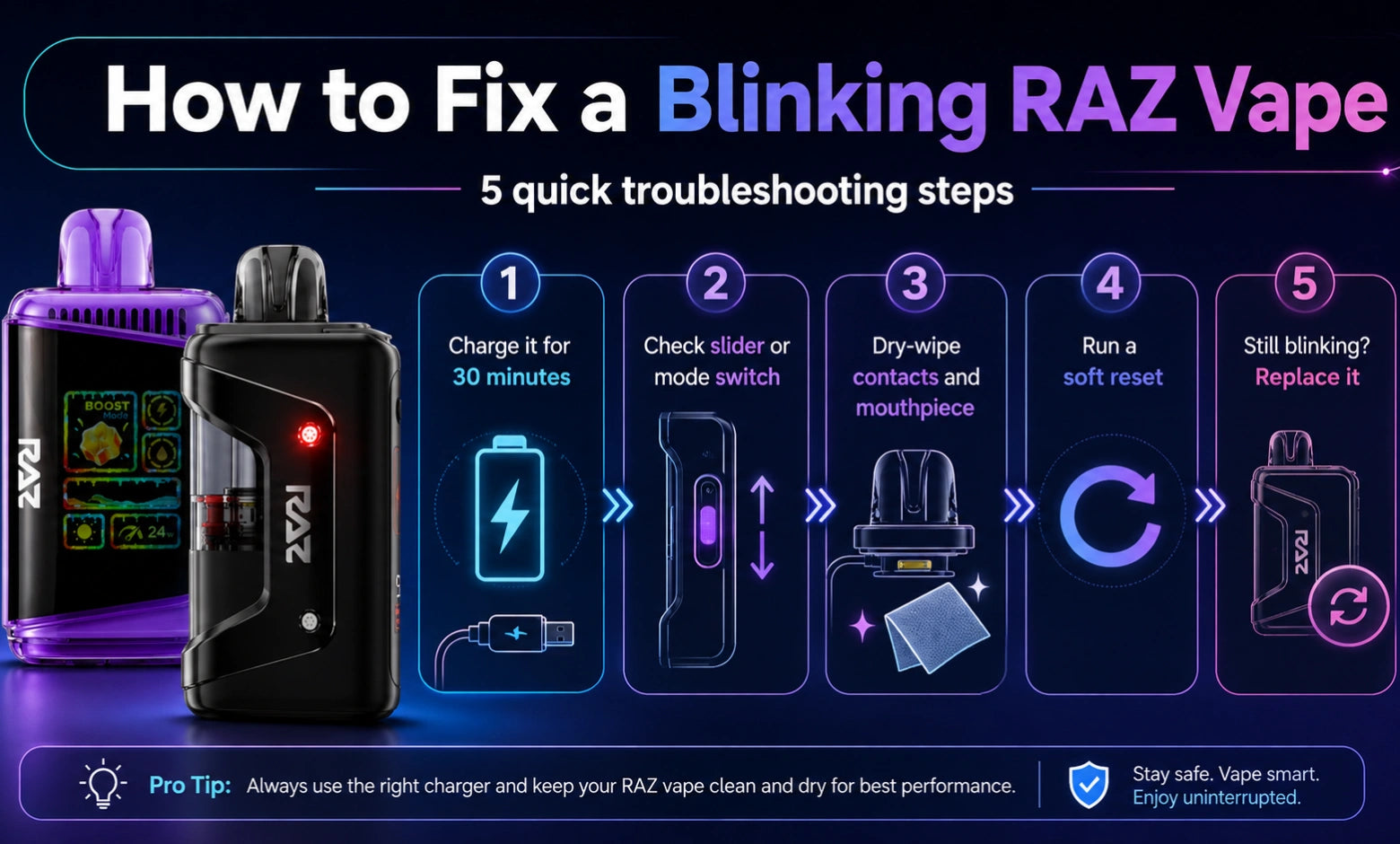
Work through these in order. Most issues are resolved by step three.
Step 1: Charge it for 30 minutes: Known-good USB-C cable, known-good power source. Do not judge the result before the thirty minutes are up.
Step 2: Check your slider or switch position: Airflow slider centered on the RAZ TN9000. The mode switch is fully seated on the screen models. Normal rather than Eco on the RAZ RX 50K if you want fuller vapor.
Step 3: Wipe the contacts and the mouthpiece: Dry cloth or dry cotton swab. Airflow inlet, mouthpiece opening, and on the RAZ VUE 50K, both pod contact surfaces. No water, no compressed air, no disassembly.
Step 4: Run a soft reset: The table below covers the quick sequence for each model. For hard resets and post-reset troubleshooting, see our complete guide on how to reset your RAZ vape.
|
Model |
Reset sequence |
Wait |
|
RAZ TN9000 |
Cycle the airflow slider closed to open 5 times |
10 sec, then draw |
|
RAZ LTX DC25000 |
5 rapid mode button presses |
5 sec, screen relights |
|
RAZ LTX 25K Gush Edition |
5 rapid mode button presses |
5 sec, screen relights |
|
RYL Vape (35K) |
5 rapid mode button presses |
5 sec, screen relights |
|
RAZ RX 50K |
5 rapid mode button presses |
5 sec, screen relights |
|
RAZ VUE 50K |
Remove pod, wait 10 sec, 5 base presses, reseat pod |
5 sec, base relights |
Step 5: Know when to stop. If you have charged it, checked the switches, cleaned the contacts, and reset it, and it still blinks without producing vapor, the device is done. If it is recent and it arrived that way, contact the RAZ Vape Direct support team with your order number, and we will sort out a replacement.
Blinking Behavior by the RAZ Model
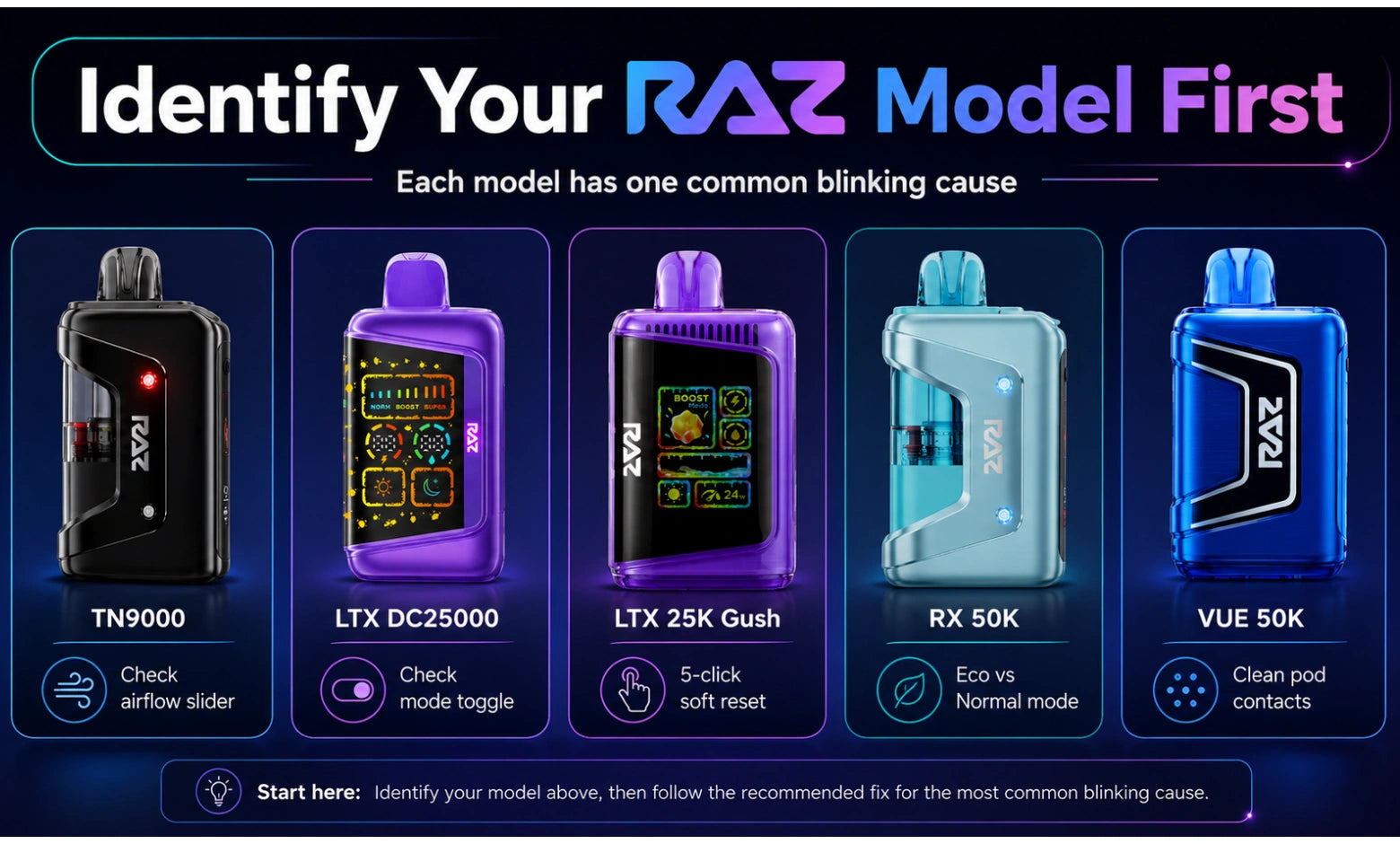
Each model has a signature issue worth knowing about.
RAZ TN9000. The airflow slider is the usual suspect. It is more sensitive than on other models, and a fully closed slider produces symptoms that look exactly like a dead device. Center it first, always.
RAZ LTX DC25000. Watch for a mode toggle caught between positions, which can show up as a flickering wattage display. Five quick mode presses clear it.
RAZ LTX 25K Gush Edition. Behaves like the DC25000. Same reset sequence, same mode switch check.
RYL Vape (35K). The chamber switch needs to sit fully to one side. Halfway between positions causes inconsistent firing and blinking.
RAZ RX 50K. Eco mode produces lighter vapor, and people frequently mistake that for a fault. Confirm which mode you are in before troubleshooting anything else. Our RAZ RX 50K review explains how the two modes differ in practice.
RAZ VUE 50K. The magnetic pod contact is the most common cause of blinking on this model. A dry wipe and a firm reseat usually resolve it.
If you use a RAZ Zero Nicotine Vape, the blink behavior is identical to the nicotine versions. The indicator system is the same across the range.
How to Reduce Blinking Interruptions
A few habits cut down on how often you see the light at all:
- Charge before the battery fully drains rather than after. Topping up sooner gives you more consistent performance across the device's life.
- Take shorter, steadier draws: Three to four seconds is the sweet spot, and it keeps you well clear of the cutoff. It also reduces the chance of the burnt taste that back-to-back long puffs can cause.
- Keep the airflow inlet clear: Pocket lint is the most common cause of contact and airflow issues. A quick dry wipe every few days handles it.
- Store it upright and away from direct heat: Leaving a device in a hot car affects how it performs.
- Check your liquid indicator before a long day out: On-screen models, this takes two seconds and saves you a surprise.
- Use a USB-C cable in good condition: A worn cable causes charging behavior that looks like a device fault.
The Bottom Line
Blinking is your RAZ device communicating, not failing. Count the flashes, note the color, and you can identify the cause in seconds. Three blinks means charge it. Ten blinks means shorter puffs. Four or five rapid blinks mean clean the contacts. A slow pulse while plugged in means everything is working exactly as it should.
Work through the five steps above in order, and you will resolve the large majority of blinking situations without replacing anything. If you have done all five and the device still will not produce vapor, it has reached the end of its run, and that is normal for any disposable.
If you are comparing devices for your next one, you can browse the full lineup at RAZVapeDirect.com, where each product page lists the puff capacity, battery, and mode options so you know exactly what you are getting. Start with the RAZ vape flavors collection if you already know the model you want.
And if you want to go deeper on a specific issue, these guides pick up where this one leaves off:
- How to reset your RAZ vape for full soft and hard reset procedures.
- Why your RAZ vape tastes burnt for coil and dry-hit troubleshooting.
- How long RAZ vapes last for realistic puff counts by model.
- What is inside a RAZ vape for a full component and specification breakdown.
Frequently Asked Questions
What does blinking mean on a vape?
Blinking on a vape is a status signal, not an error. The device has detected a condition and paused firing to report it. The most common causes are a low battery, a puff that ran past the built-in cutoff, low e-liquid, or a loose connection. The blink count and color together tell you which.
Why is my RAZ vape blinking but not empty?
A RAZ vape can blink with plenty of e-liquid left, because blinking is not only a liquid signal. When liquid is not the cause, look at a low battery, a puff that crossed the ten-second cutoff, a misaligned airflow slider, or a contact that needs a dry wipe. Check those four first.
If my vape is blinking, is it dead?
A blinking vape is usually not dead. Most of the time, it needs charging, a shorter puff, or a quick contact cleaning. A device has genuinely reached the end of its life only after you have charged it fully, checked the switch positions, cleaned the contacts, run a soft reset, and it still produces no vapor.
How do I reset a RAZ vape?
You reset most RAZ screen models by pressing the mode button five times quickly, then waiting five seconds for the display to relight. On the RAZ TN9000, cycle the airflow slider closed to open five times instead. On the RAZ VUE 50K, remove the pod, wait ten seconds, press five times, then reseat. Full steps are in our RAZ reset guide.
What do 4 blinks mean on a RAZ vape?
Four blinks on a RAZ vape point to a connection or contact issue rather than a battery problem. Wipe the contact surfaces with a dry cloth, and on pod models, remove and firmly reseat the pod. If the pattern continues after cleaning, run a soft reset before considering a replacement.
Why is my RAZ vape blinking red?
Red blinking on a RAZ vape usually means the battery has dropped critically low and needs charging right away. On some models, red can also signal that the e-liquid is nearly gone. Charge for thirty minutes first. If red persists on a full battery, check your liquid level indicator.
What does a green blinking light mean on a RAZ vape?
Green blinking on a RAZ vape points to a low e-liquid level rather than a battery issue. On-screen models, confirm it against the water-drop icon or the level bar. If the reservoir is genuinely empty, the device has finished its run, and no reset or charge will bring it back.
What does a blue blinking light mean when there is no vapor?
A blue blink with no vapor means one of two things. Plugged in, it is normal charging. Unplugged, it usually means the airflow inlet or activation area is blocked, so the device senses a draw but cannot complete it. Wipe the inlet, open the airflow slider, and draw more slowly.
Why is my RAZ vape screen blinking?
A blinking screen on a RAZ vape usually means the power mode switch is caught between positions or the battery has dropped very low. Slide the mode switch firmly to one side, then charge for at least fifteen minutes. If the screen stays white or blank, perform a soft reset.
Why does my vape keep blinking after charging?
A vape that keeps blinking after a full charge is almost always an airflow, contact, or e-liquid issue rather than a power issue. Check that your airflow slider is not fully closed, wipe the inlet and contacts with a dry cloth, and confirm your liquid indicator before assuming the device has failed.
Can you hit a RAZ vape while it is charging?
We do not recommend using a RAZ vape while it is charging. Let the charge cycle finish, unplug the device, and then use it. You will get more consistent vapor and a more complete charge than if you interrupt the process partway through.
Does the blinking pattern differ between RAZ models?
Blink patterns are broadly consistent across the RAZ range, but the underlying causes differ by model. The RAZ TN9000 is usually an airflow slider issue, the RAZ VUE 50K is usually a pod contact issue, and the RAZ RX 50K is often just Eco mode producing lighter vapor. Identify your model first.