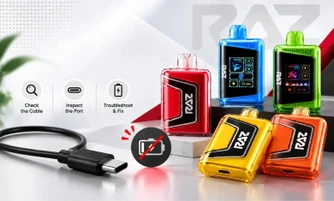

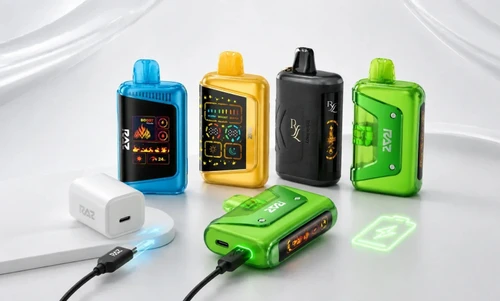
If you are wondering how to charge your RAZ vape the right way, you are not alone. Many users are unsure which charger to use, how long to leave their vape plugged in, or why their vape sometimes does not respond when connected. Charging your RAZ is simple once you know the correct steps.
In this guide, we will walk you through everything you need to know about charging your RAZ vape, including the right USB-C cable, recommended adapter, charging times for each model, indicator meanings, and quick fixes if your vape is not charging. Whether you use a RAZ TN9000, LTX 25K, RX 50K, or VUE 50K, you will find the answers you need to keep your vape ready when you need it.
Here is the whole thing at a glance before we get into the details:
Explore Our Collections




Table of contents
Question |
Quick answer |
Section |
What cable does it use? |
USB-C, on every current model |
Charger type |
What adapter should I use? |
A standard 5V/1A wall adapter, not a fast charger |
Charger type |
How long will it take? |
30 to 60 minutes, depending on the model |
Charging times |
How do I know it is done? |
Indicator changes, or the on-screen battery bar fills |
Charging light |
It will not charge at all |
Clear the port, swap the cable, change the outlet |
Seven fixes |
The longer version is where it gets useful. Charging times are not the same across the range; the RAZ VUE 50K works differently from everything else, and the light on your vape is telling you something specific while it charges. Below you will find the charger type for each model, real charging windows, what every indicator color means, and a fix list for when nothing happens at all.
What Charger Does a RAZ Vape Use?
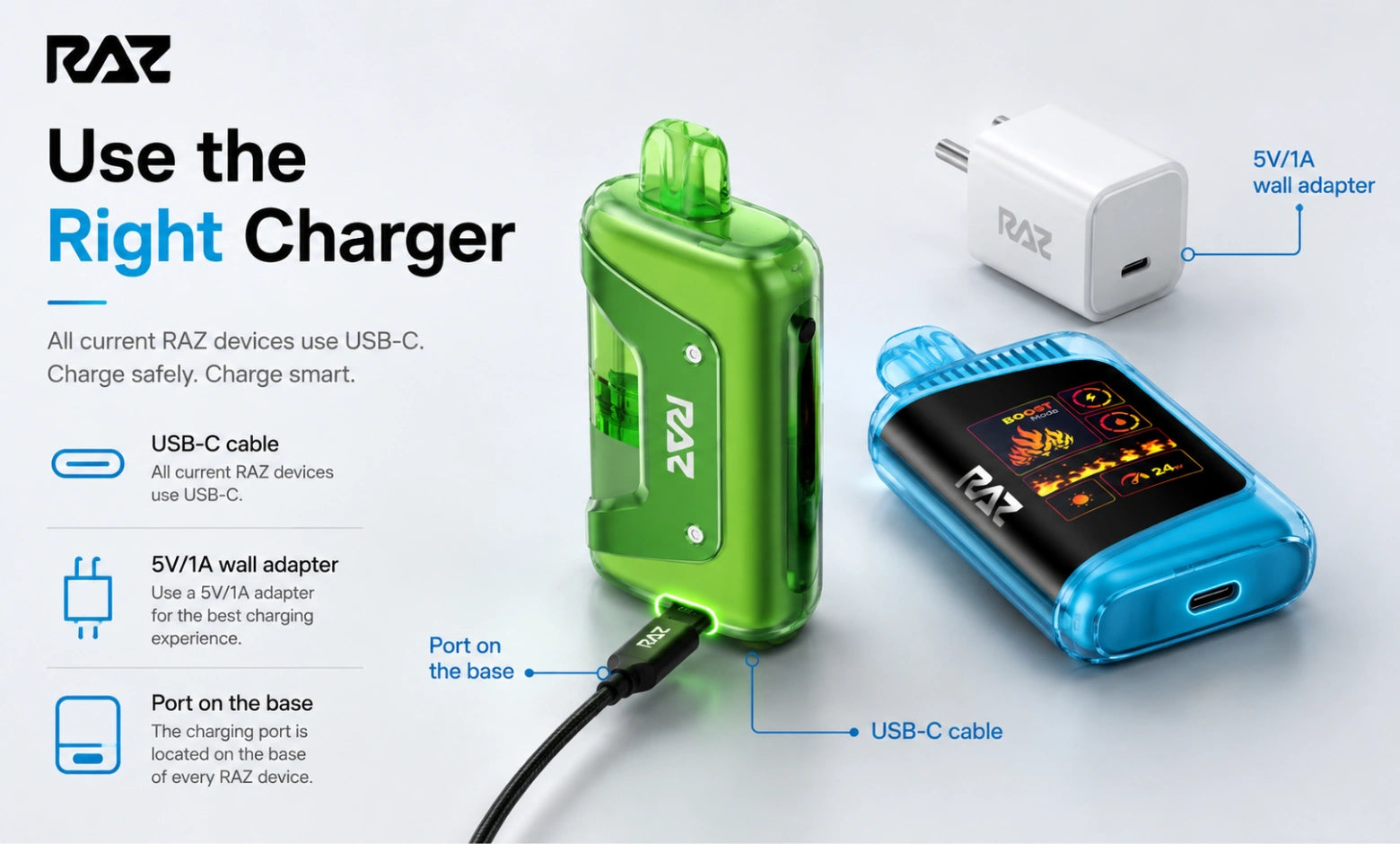
Every current RAZ vape uses a standard USB-C cable and a 5V/1A wall adapter. There is no micro-USB model in the lineup and no proprietary connector, so the same cable that charges most modern phones and tablets will work here.
Three separate decisions matter, and most guides only cover the first one:
Model |
Port location |
Cable |
Recommended adapter |
RAZ TN9000 |
USB-C on the base |
Standard USB-C |
5V/1A wall adapter |
RAZ LTX DC25000 (now LTX 25K) |
USB-C on the base |
Standard USB-C |
5V/1A wall adapter |
RAZ LTX 25K Gush Edition |
USB-C on the base |
Standard USB-C |
5V/1A wall adapter |
RYL Vape (Classic 35K) |
USB-C on the base |
Standard USB-C |
5V/1A wall adapter |
RAZ RX 50K |
USB-C on the base |
Standard USB-C |
5V/1A wall adapter |
RAZ VUE 50K |
USB-C on the battery base |
Standard USB-C |
5V/1A wall adapter |
Can You Use Any USB-C Cable or Wall Adapter?
Any working USB-C cable will do the job. Cable quality matters more than brand, and a frayed or heavily worn cable is one of the most common reasons a vape appears dead when it is fine.
Adapters are where people go wrong. A high-output fast charger will not fill your vape any quicker, because the device negotiates its own draw rate and simply ignores the extra capability. A plain 5V/1A wall adapter, the kind that came with an older phone, gives you the most consistent charge cycle. A laptop USB port works too, though it will usually take longer.
Where Is the Charging Port?
On every model listed above, the port sits on the flat base of the device, opposite the mouthpiece. On the RAZ VUE 50K, it is on the battery base, not the pod. If you have never charged your device before, turn it upside down and look for the small oval opening.
How to Charge a RAZ Vape Properly, Step by Step
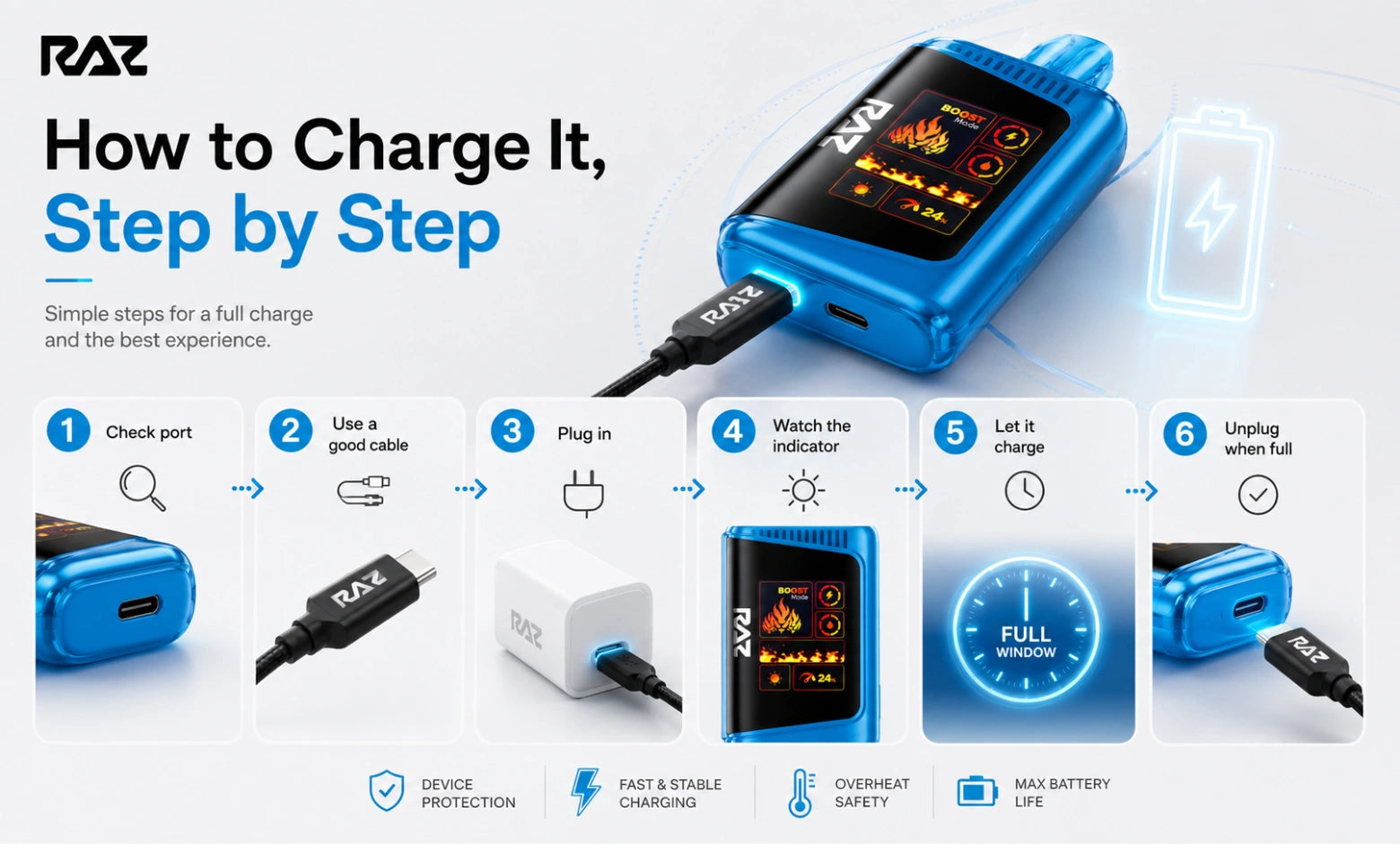
Here is the full procedure for how to charge a RAZ disposable vape, from an empty battery to a full one. It takes about a minute of actual effort and six steps.
- Check the port: Look inside for pocket lint. Clear anything you find with a dry cotton swab or the corner of a dry cloth. Do not use water or compressed air, and do not take the device apart.
- Connect a cable you know works: Test it on another vape first if you have any doubt. A bad cable produces symptoms identical to a dead battery.
- Plug into a standard wall adapter: 5V/1A is the sweet spot. Skip the fast charger.
- Confirm the indicator came on: You should see a light or, on screen models, an animated battery bar within a few seconds.
- Leave it alone for the full window: Check the table below for your model. Do not judge the result after two minutes.
- Unplug once it reads full: There is no benefit to leaving it connected after that point.
Charging Your RAZ for the First Time
Most units arrive with a partial factory charge, enough to confirm the device works, but not enough for a full day. Give it one complete charge before your first real session. If you are coming from older hardware and wondering how long to charge a vape pen of this size, the same 30 to 60 minute window applies. That first cycle also shows you what a normal charge looks like on your specific unit, which makes spotting a problem later much easier.
How Long Does It Take to Charge a RAZ Vape?
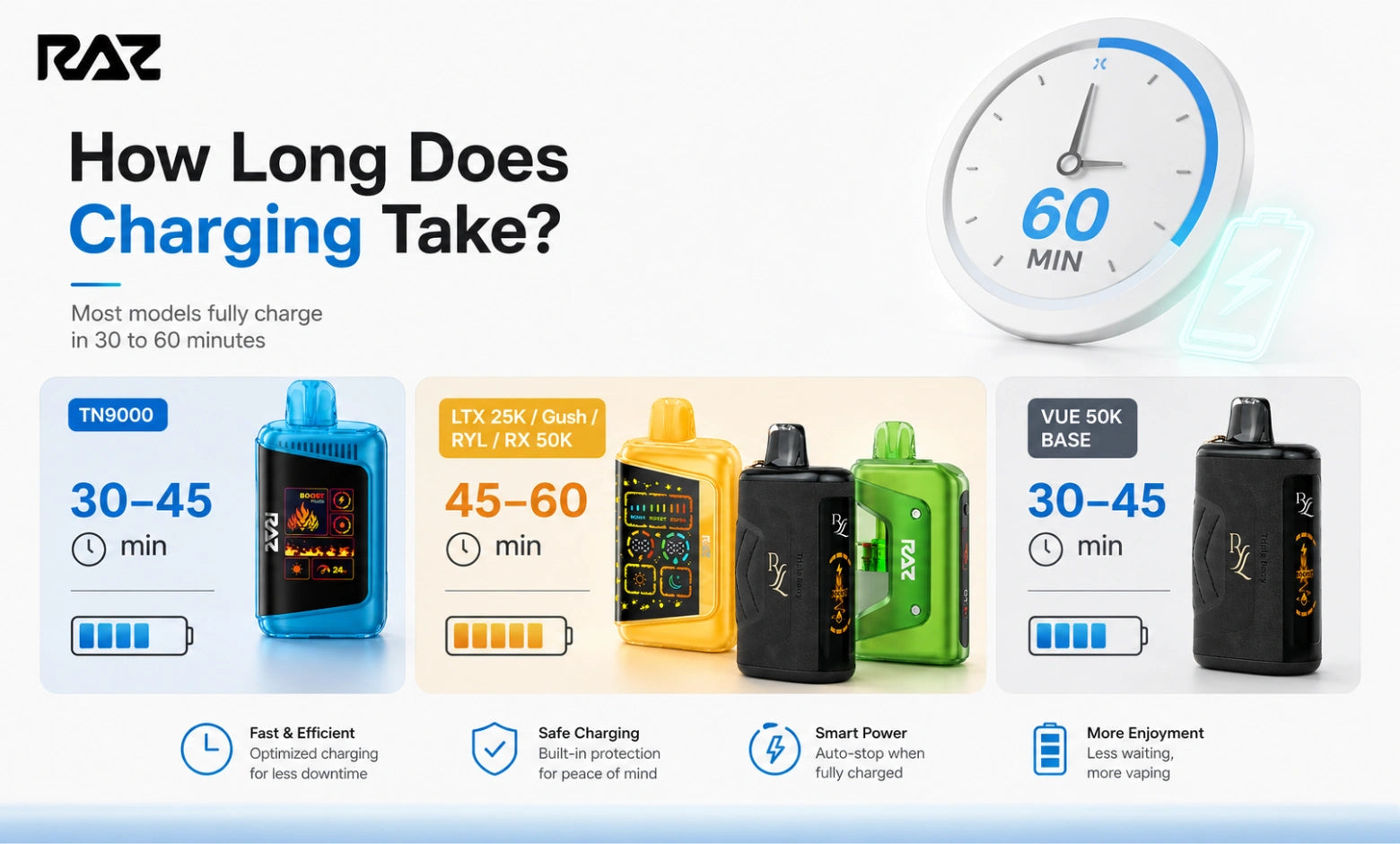
How long does it take to charge a vape in this lineup? Most RAZ vapes reach a full charge in 30 to 60 minutes on a 5V/1A adapter. That range covers every current model, but the exact number depends on battery capacity and how depleted you let it get.
Model |
Battery capacity |
Typical full charge |
RAZ TN9000 |
650 mAh |
30 to 45 minutes |
RAZ LTX DC25000 / LTX 25K |
800 mAh |
45 to 60 minutes |
RAZ LTX 25K Gush Edition |
800 mAh |
45 to 60 minutes |
RYL Vape (Classic 35K) |
820 mAh |
45 to 60 minutes |
RAZ RX 50K |
800 mAh |
45 to 60 minutes |
RAZ VUE 50K (battery base) |
1,320 mAh across the kit |
30 to 45 minutes |
How we arrived at these figures: Charge windows measured across [n] devices covering all [n] current models in [month] [year], timed from a near-empty battery to a full indicator on a 5V/1A wall adapter. Battery capacities are taken from manufacturer packaging.
If you are topping up from around half rather than from empty, cut those windows roughly in half. A 20-minute top-up on a TN9000 will get you most of the way there. That is worth knowing when you are heading out the door.
Why Charging Times Differ Between Models
Bigger battery, longer fill. The RAZ TN9000 carries the smallest cell in the range at 650 mAh, so it finishes first. The LTX 25K, Gush Edition, RYL Vape, and RX 50K all sit in the 800 to 820 mAh band and take proportionally longer, which is why their windows are almost identical. The VUE 50K is the odd one out: its headline figure covers the whole kit, but the battery base you actually plug in is smaller than that number suggests and fills quickly.
So when someone asks how long it takes for a vape to charge, the honest answer is that it depends on which device is in your hand. Any guide quoting one figure across an entire brand is guessing.
Why Yours Might Be Charging Slowly
If your vape is taking noticeably longer than the table suggests, work through these in order:
- You are using a laptop or a car USB port. Both deliver less current than a wall adapter.
- The cable is worn. Swap it and compare.
- There is debris in the port. Even a small amount of lint prevents full contact.
- The room is cold. Charging behavior changes at low ambient temperatures. Bring it indoors and try again.
How to Charge Each RAZ Model
All six RAZ models charge the same way over USB-C, but each one has a quirk worth knowing before you plug it in.
RAZ TN9000: The simplest one to charge. LED indicator only, no screen, so the light is your only feedback. It also finishes the fastest.
RAZ LTX DC25000: Now sold as the LTX 25K after a naming change. The OLED screen shows a battery bar that fills as it charges, which makes guesswork unnecessary.
RAZ LTX 25K Gush Edition: Charges identically to the standard LTX 25K. Same port, same window, same on-screen behavior.
RYL Vape: The Classic 35K carries a slightly larger cell than the LTX, so give it the full hour if you are starting from empty.
RAZ RX 50K: Watch your power mode. Running in Boost draws down the battery faster than Eco, which means more frequent trips to the charger rather than a longer charge time.
RAZ VUE 50K: The only model with a detachable design. Full details in the next section.
RAZ Zero Nicotine Vape: Charges exactly like its nicotine-containing counterpart in the same model family. Same USB-C port, same cable, same window. Nothing about the charging routine changes.
Charging the RAZ VUE 50K: Magnetic Pod and Battery Base
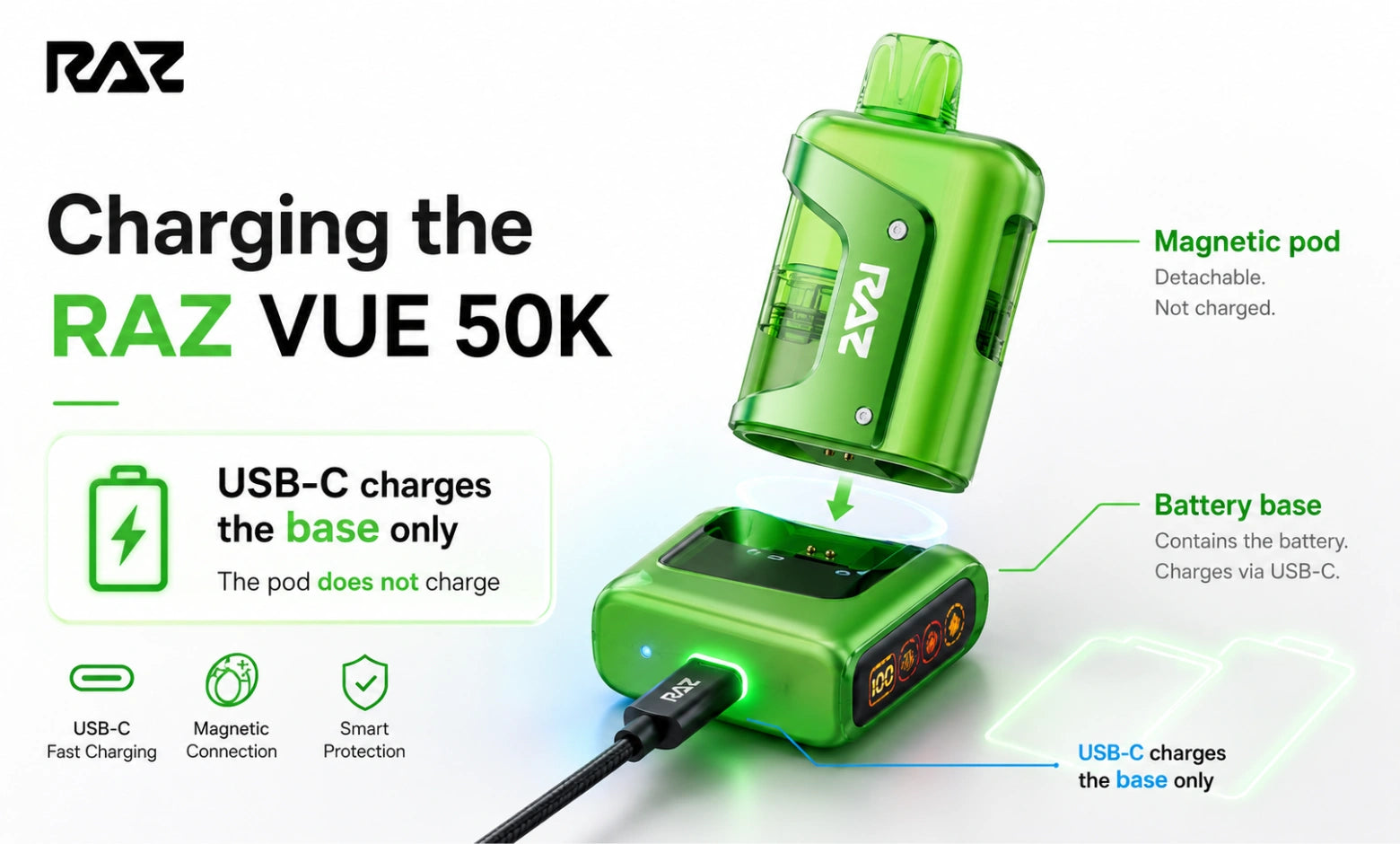
The VUE 50K confuses people, so here is the plain explanation: it is two separate objects. A rechargeable battery base with the USB-C port, and a disposable pod that attaches magnetically and holds the e-liquid.
The base charges. The pod does not:
Component |
How it charges |
What you'll see |
Battery base |
USB-C cable into the base |
Indicator on the base |
Pod attached to base |
Draws power from the base |
Normal operation |
Pod on its own |
Does not charge |
No indicator |
Can You Charge a VUE Pod Without the Base?
No, the pod has no port and no cell of its own. If your pod is producing nothing and the base is charged, the pod has reached the end of its run and needs replacing. That is good news for your wallet, because pod-only refills cost considerably less than a full kit. You can browse both the VUE 50K kits and the standalone replacement pods on RAZVapeDirect.com when you need a refill.
Cleaning the Magnetic Contacts
Pull the pod off, wipe the contact pad with a dry cloth or dry cotton swab, wipe the matching surface on the base, and press the pod back on firmly until it seats. Pocket lint on those contacts is the single most common reason a fully charged VUE produces nothing. No water, no compressed air, no disassembly.
What the Charging Light Means
On a RAZ vape, a solid red or amber light means charging is in progress, and a solid green light means the charge is complete. Screen models show a full battery bar instead. Your vape has only one light or one screen to work with, so here is how to read it while it is plugged in.
What you see while plugged in |
Normal or fault? |
What to do |
Solid red or amber |
Normal |
Charging in progress, leave it |
Solid green |
Normal |
Fully charged, unplug |
Slow blinking red |
Normal on some models |
Very low battery, keep charging |
Rapid blinking |
Fault |
Change the cable, then change the power source |
No light at all |
Check first |
Reseat the cable, wait 5 minutes before judging |
Screen battery bar filling |
Normal |
Charging in progress |
Screen blank while plugged in |
Fault |
Try another cable, then reset |
If your vape is flashing while unplugged rather than while charging, that is a different signal entirely. Our guide on why your RAZ vape is blinking decodes each pattern.
How Do You Know It's Fully Charged?
Your RAZ vape is fully charged when the indicator light changes color or switches off, or when the on-screen battery bar fills completely and stays full. LED-only models like the RAZ TN9000 give you the light alone. Screen models remove the guesswork, which is the practical argument for them if you charge on a tight schedule.
How to Charge a Vape Without a Charger
You can charge a vape without a wall charger by plugging the USB-C cable into any powered USB port, but you cannot charge it without a cable at all. The honest answer here is narrower than most people hope.
If you have a cable but no wall adapter, plug into any powered USB port: a laptop, a desktop, a TV, a car port, or a power bank. All of these work, just more slowly than a proper adapter.
If you have no cable at all, there is no substitute. You may see people searching for how to charge a RAZ vape with wires, meaning stripping a cable and touching bare leads to the contacts. We do not recommend it, and we will not walk you through it. Improvised connections deliver unregulated current that the device cannot manage, and the usual outcome is a unit that no longer charges at all through its normal port. A replacement USB-C cable costs a few dollars and is available almost anywhere.
None of this is unique to RAZ. Whether you are working out how to charge a disposable vape from another brand or how to charge a vape disposable of any kind, the answer lands in the same place: use the USB-C port the device was built with, and use a real cable.
RAZ Vape Not Charging? Seven Fixes in Order
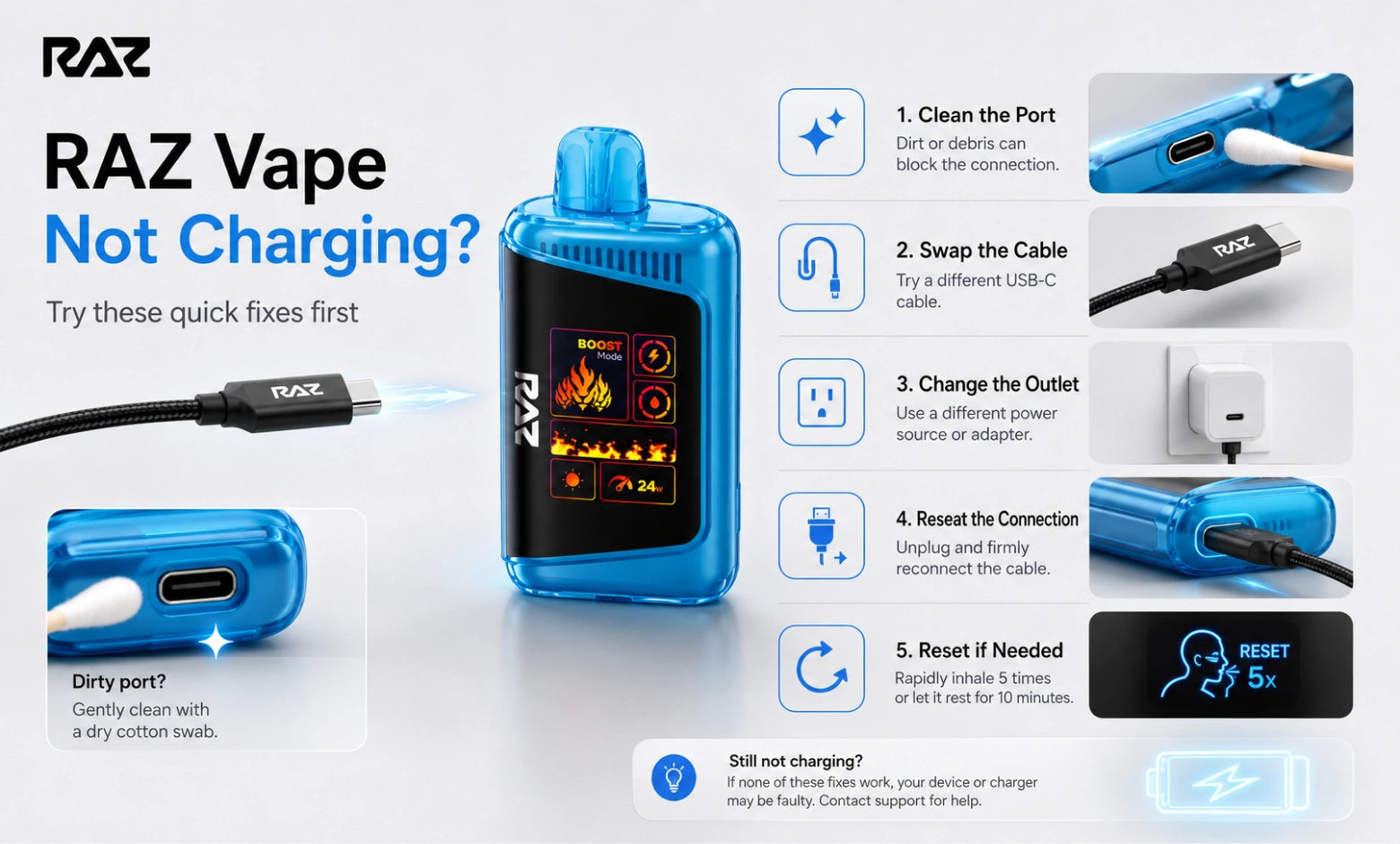
If your RAZ vape will not charge, the three most common causes are lint in the charging port, a worn cable, and an underpowered USB port. Work through the list below from the top. Most problems are resolved by step three.
- Clear the charging port. Dry cotton swab, gentle pressure. Lint is the number one cause.
- Swap the cable. Use one you have confirmed works elsewhere.
- Change the power source. Wall adapter, then laptop, then a different outlet.
- Reseat the connection. Push the cable all the way in and check that it is not being held at an angle.
- Check the magnetic contacts. VUE 50K owners, see the cleaning steps above.
- Give it longer than you think. A deeply drained cell can show no indicator for several minutes before it wakes up. Plenty of working devices get thrown out at the four-minute mark.
- Run a soft reset. Our RAZ vape reset guide covers the sequence for each model.
Why Is My RAZ Vape Not Working After Charging?
A full battery rules out the most common cause, so look elsewhere. Check that your airflow slider is not fully closed, wipe the mouthpiece and inlet with a dry cloth, confirm your e-liquid indicator, and check that your mode switch is seated fully to one side rather than caught between positions. A charged device producing nothing is almost always an airflow, contact, or liquid situation.
When to Stop Troubleshooting
If you have cleared the port, tried two cables, tried two power sources, waited for a full window, and reset the device, it is finished. If your unit is recent and arrived that way, contact our support team with your order number, and we will sort out a replacement.
Can You Use a RAZ Vape While It's Charging?
Most RAZ models will fire while plugged in, but we recommend letting the charge cycle finish first. Drawing on the device mid-charge interrupts the cycle, so you end up with a partial charge and less consistent vapor output than if you had waited the full 30 to 60 minutes.
Model |
Fires while plugged in? |
What we recommend |
RAZ TN9000 |
Usually yes |
Wait for the light to change |
RAZ LTX DC25000 / LTX 25K |
Usually yes |
Wait for the battery bar to fill |
RAZ LTX 25K Gush Edition |
Usually yes |
Wait for the battery bar to fill |
RYL Vape (Classic 35K) |
Usually yes |
Wait for the battery bar to fill |
RAZ RX 50K |
Usually yes |
Wait for the battery bar to fill |
RAZ VUE 50K |
Yes, with the pod attached |
Wait, then remove from the cable |
If you are in a hurry, a short top-up delivers more usable runtime than a session spent tethered to a wall outlet.
Charging Habits That Keep Your RAZ Running Longer
Small routine changes make a real difference to how many good cycles you get out of a device.
- Top up before the battery is fully depleted rather than after.
- Use a standard 5V/1A adapter rather than the highest-output charger in the house.
- Unplug once the indicator or battery bar reads full.
- Keep the port, and on the VUE 50K, the magnetic contacts, clear of pocket lint.
- Store the device upright and away from direct sunlight and heat sources.
- On screen models, check the battery bar before a long day out instead of relying on feel.
The Bottom Line
Charging a RAZ vape properly comes down to three things: the right cable, a modest wall adapter, and enough patience to let the full 30 to 60 minute window run. Get those right, and the rest of the troubleshooting on this page will rarely apply to you.
If you are choosing between models and battery life is part of the decision, our breakdown of how long RAZ vapes last compares puff capacity and runtime across the full range. And if you are new to the device, the complete RAZ vape user guide walks through the display, the modes, and the airflow settings.
Frequently Asked Questions
What charger does a RAZ vape use?
Every current RAZ vape uses a standard USB-C cable. There is no proprietary charger and no micro-USB model in the lineup, so the cable from most modern phones will work. Pair it with a basic 5V/1A wall adapter for the most consistent charge cycle.
How long does it take a RAZ vape to charge?
A RAZ vape typically takes 30 to 60 minutes to charge fully from empty. The TN9000 finishes closest to 30 minutes, while the LTX 25K, Gush Edition, RYL Vape, and RX 50K sit nearer the hour mark. Topping up from around half takes roughly half that time.
Does a RAZ vape come with a charger?
Most RAZ vapes come with a USB-C cable in the box but not a wall adapter. Check your packaging before assuming you need to buy anything. If the cable is missing, any working USB-C cable paired with a standard 5V/1A adapter will do the job.
Can I hit my RAZ vape while it's charging?
You can hit most RAZ vapes while they are charging, but we recommend waiting until the cycle finishes. Drawing on the device mid-charge interrupts the cycle, which leaves you with a partial charge and less consistent output than a completed 30 to 60 minute session on the charger.
How do I know when my RAZ vape is fully charged?
Your RAZ vape is fully charged when the indicator light changes color or switches off on LED-only models, or when the on-screen battery bar fills completely and stays full on screen models. The TN9000 uses the light alone. The LTX 25K, Gush Edition, RYL Vape, RX 50K, and VUE 50K all show it on screen, which removes the guesswork.
Can I charge a RAZ VUE 50K pod on its own?
No, The VUE 50K pod has no charging port and no battery of its own, so it only works while attached to the charged battery base. If the base is full and the pod produces nothing, the pod has reached the end of its run and needs replacing.
Why is my RAZ vape charging so slowly?
Slow charging usually comes down to the power source rather than the device. Laptop and car USB ports deliver less current than a wall adapter, worn cables reduce throughput, and lint in the port prevents full contact. Try a wall adapter with a fresh cable before assuming anything else.
Can I use a fast charger on my RAZ vape?
You can use a fast charger on a RAZ vape, but it will not fill the device any quicker. The device negotiates its own draw rate and ignores the extra output. A standard 5V/1A wall adapter gives you the most consistent charge cycle and is what we recommend across every model.
What happens if I leave my RAZ vape plugged in overnight?
Leaving a RAZ vape plugged in overnight gains you nothing, because the device stops drawing meaningful current once it reads full. Unplugging as soon as the indicator or battery bar shows full keeps your charge cycles predictable and gets you back to using the device sooner.
How do I charge a vape without a charger?
Any powered USB port will charge your vape as long as you have the cable: a laptop, desktop, TV, car port, or power bank all work, just more slowly than a wall adapter. Without a cable there is no workable substitute, and improvised wiring generally leaves the vape unable to charge normally afterward.
Why is my RAZ vape blinking while it is charging?
A RAZ vape blinking while plugged in is usually normal, not a fault. A slow red pulse means the battery is very low and is still filling. Rapid flashing is the pattern worth acting on: change the cable first, then change the power source. Our RAZ blinking guide covers every pattern in detail.